
🛒 How to Buy Anchor Tokens (ANC)
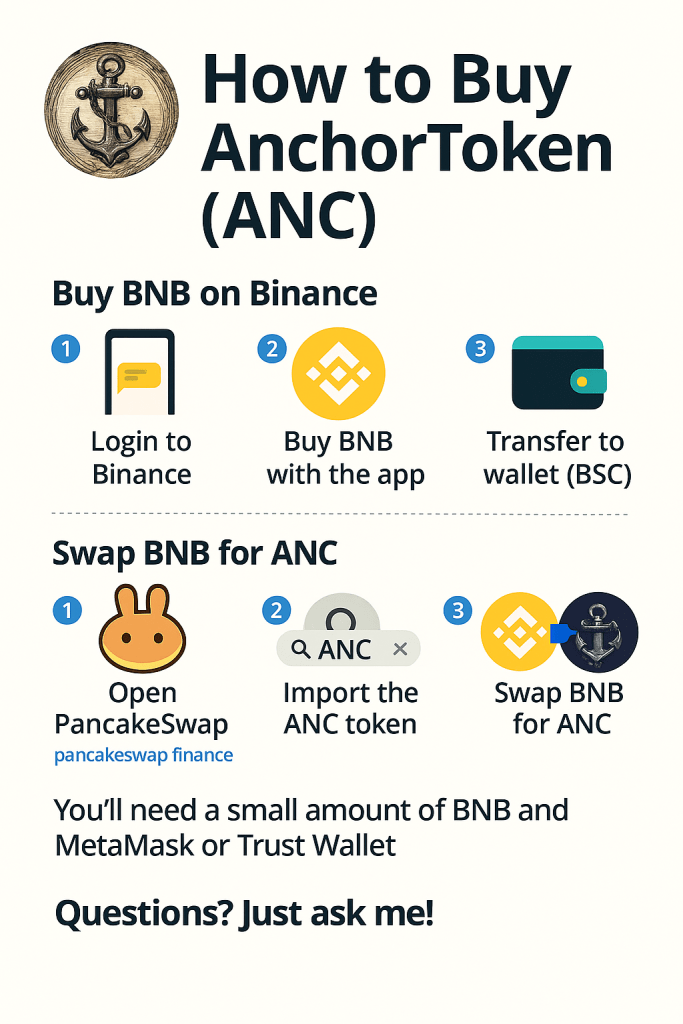
Follow these simple steps to buy ANC on PancakeSwap using MetaMask or Trust Wallet.
✅ Step 1: Set Up Your Wallet
- Download MetaMask or Trust Wallet
- Create a new wallet and secure your recovery phrase
- Switch network to Binance Smart Chain (BSC)
💰 Step 2: Fund Your Wallet with BNB
- Buy BNB on exchanges like Binance, KuCoin, or others
- Transfer the BNB to your wallet’s BSC address
🌐 Step 3: Access PancakeSwap
- Click “Connect Wallet” and choose your wallet
- In the “From” field, select BNB
- In the “To” field, paste this ANC contract address:
0xdd8336B4f8848165e089D295088640a572664d1c - Import the token if prompted (Name: Anchor Token (ANC))
🔁 Step 4: Swap BNB for ANC
- Enter the amount of BNB you want to swap
- Click the ⚙️ settings icon and set slippage tolerance to 5–10%
- Click “Swap” and confirm the transaction in your wallet
📥 Step 5: Add ANC to Your Wallet
- In MetaMask or Trust Wallet, click “Import Token”
- Paste the Anchor Token contract address again:
0xdd8336B4f8848165e089D295088640a572664d1c - ANC will now appear in your wallet
⏳ Step 6: Confirm Transaction
- Wait for confirmation — this usually takes a few seconds
- Check your wallet to see your ANC token balance
⚠️ Important Tips
🌐 Use Binance Smart Chain (BSC) — not Ethereum
✅ Ensure you have enough BNB for gas fees
⚙️ If the swap fails, try increasing slippage (5–10%)
🔒 Always verify the correct contract address
 Download MetaMask
 Download Trust Wallet
 Swap on PancakeSwap
 Anchor Tokens ANC